
In this issue:
- Updated Collect! Logo
- Quick Quiz
- Next User Conference
- Opportunities for Input
- Partner News
- Release News
- User Tip

Collect! News…
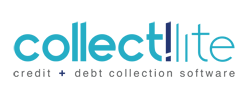
Check out the new Collect! Logo and Icon
Our updated logo and icon set provides a fresh look while maintaining the continuity required for immediate recognition. Thanks to logo designer Kellie Crawford for her excellent work.

Quick Quiz…
Reaching Collect! Help
Quick! You are working in Collect! and want to access Help for the topic you are working on. What key do you hit for Help to open immediately? See User Tip below for the answer.
2019 User Conference…
June 6-7 in Dallas, TX
We are working on the next Collect! User Conference on June 6-7 in Dallas, likely somewhere convenient to the DFW airport. Right now we are in the final stages of selecting a hotel with a larger capacity than the 2018 User Conference since we are expected an increase in attendance for three reasons: second User Conferences usually experience an increase in participation, the date is outside the main summer holiday season and Dallas is centrally located.
Opportunities for Input and Learning …
What do YOU want in a Collect! – Quickbooks Integration?
We are in the early stages of Quickbooks integration development and want to know your requirements. Click this link to tell us what you want to see in a QB integration: https://www.surveymonkey.com/r/X26FCJ5
Supporting YOUR Client Onboarding Documents
Several users were interested in C! supporting Client Onboarding Documents. Right now we are seeking examples of client onboarding materials to build specs for this new feature. Once we have some examples to work with we will compile information and get back to the example providers with design ideas. Email your documents to barb@staging.collect.org.
What do YOU want in a Collection Floor Dashboard?

We are developing a collection floor dashboard as a separate module. Click on this link to let us know what you want your collectors to see in real time: https://www.surveymonkey.com/r/TNPCBH9
Partner news…
Process e-OSCAR Disputes Faster

Collect! has partnered with Sonnet, an automated credit dispute resolution system, to help larger Collect! users to process large numbers of disputes in a way that ensures compliance and demonstrates ‘reasonable investigation’ through comprehensive documentation and reporting. https://palinode.io/sonnet/
If automating your e-OSCAR dispute resolution interests you, please email barb@staging.collect.org with your answer to this key question: If you report to the credit bureau(s) how many disputes do you process per month?
Free Speech Analytics and Inbound Minutes for 1 Month

Have you noticed in industry news that TCN is offering free speech analytics and inbound minutes for 1 month? TCN recently won the 2018 Contact Center Technology Award from Customer Magazine for its cloud-based contact center platform 3.0.
Link to inbound speech offer: Click Here
Seeking Beta Sites
Our integrations with Nexmo, a global leader in SMS communications, and Docusign, a global leader in document management, are now ready for beta sites. Being a beta site entitles you to the free involvement of our API developer until the integration is fully operational on your system. Contact barb@staging.collect.org.
Release news…
Collect! Version 12.7 Includes Column Level Encryption
Collect! Version 12.7, released on September 26 provides significant additional features and enhancements including column level encryption and improvements to reporting, importing, display and environment, account matching, credit bureau reporting, contact management and TCN broadcasting.
Note:
- If you are on Collect!’s cloud solution, you will be automatically updated
- Updating and testing in your test environment before updating your production environment is always recommended.
- If you are using webhost, and you are running 12.2 or earlier, you will need to update your webhost to the latest version at the same time as you update Collect!.
- You can download the new update here. It takes only a few minutes to download and install.
Collect! User Tips…
Accessing the Collect! Help

Hitting the F1 key will open Collect! Help on the page that relates to the field or screen from which you invoked Help.
To see an alphabetized listing check out the Help Index:
http://staging.collect.org/cv12/Help/index.html
To see a categorized listing check out the Help Contents:
http://staging.collect.org/cv12/Help/contents.html
To search by topic use the search function upper right, and filter for your version of Collect! http://staging.collect.org