
In this issue:

- Collect! response to CFPB rule change
- Two sessions on CFPB at user conference
- Virtual User Conference program, registration and entrance links
- Industry Insights stream at user conference
- New Dashboard and Report Generator demos at user conference
- Partner news
- User tip – MS patch for BMP files and print spooler
- Release news – 12.11 released
Collect! Response to CFPB Rule Changes
Workflow rules and reports
Dealing with CFPB rule changes has been front and center since the final rules were published, and is a programming priority for 2021. Collect! founder, Fritz Schulze, is leading the development of this project. Current development is centered on two areas: preventing contact events that fall outside of set rules and analyzing workflow to identify where rule sets or assets require modification. In keeping with Collect!’s philosophy of creating as much flexibility for users as possible, and realizing jurisdictional variations, controlling or auditing parameters are set by the user. Collect! is moving in 3 separate areas:- Adding key changes to offer you the ability to add runtime compliance protection to key internal functions based on your own data sets and your own requirements. For example, if a manual dial call falls outside the established rule set the internal code can reject the call request.
- Developing a set of workflow analysis tools that will allow you to examine your existing workflow, set to the parameters and variables you choose, in order to check your own level of compliance. You are in control of the metrics you want to test, such as whether call attempts exceeded a certain number in a certain time period or if a certain text chunk is present in certain letters.
- Planning to unify diverse communication platforms into one centralized interface for operator and management control, embracing the move away from voice and toward text and other channels with the ultimate target of encouraging consumers to an integrated self-pay portal.

“We view these regulatory changes as an opportunity for greater congruence across diverse communication platforms to aid and protect both collectors and consumers. We have a couple of things which should be available by or before the user conference in early June, and a third slightly more ambitious project expected in several phases.” Fritz Schulze
Two Sessions on CFPB at User Conference
Join for one or both, or view after the event
Friday, June 4 8 am Pacific / 11 am Eastern – Session 1: Presentation – Dealing with CFPB Rule Changes In this session Collect! staff will identify how new and existing functions in Collect! will enable you to deal with CFPB rule changes. 9 am Pacific / 12 pm Eastern – Session 2: Brainstorming – Dealing with CFPB Rule Changes In this session Collect! users are invited to share their ideas about how Collect! can be used for CFPB compliance. This will be set up as one 2-hour session, so if you are in Session 1 you can just keep the session open as we move to Session 2. You can also enter this session anytime within the 2-hour span.Virtual User Conference June 3-4 program, registration and entrance links
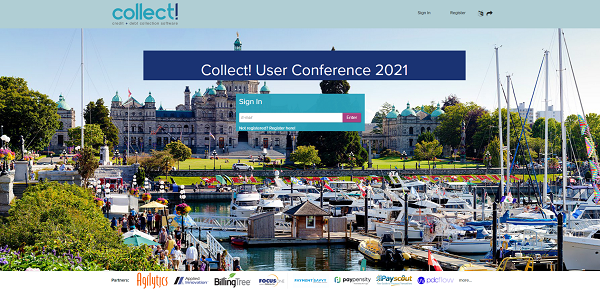
Register yourself and your staff now
Pop in, pop out, go back later to catch what you missed. This conference offers 3 learning streams:- Collect! Training
- Industry Insight Panels
- Partner Presentations
Industry Insights stream at user conference
Learn the latest from industry experts
Thursday, June 3 9 am Pacific / 12 pm Eastern – Panel 1: Beyond Voice: What Portals and Omnichannel Mean for You – Improve Recovery with Cross-Channel Communication 10 am Pacific / 1 pm Eastern – Panel 2: Moving Your Productivity Needle – Leverage Workflow and Automation Engines 12 pm Pacific / 3 pm Eastern – Panel 3: Questions to Ask Your Processor – Understand How Your Payment Processor Can Improve Results Friday, June 4 9 am Pacific / 12 pm Eastern – Panel 4: Communicate with Confidence – Compliant Omnichannel Communication 10 am Pacific / 1 pm Eastern – Panel 5: Data Strategies to Improve Collection Outcomes – How to Benefit from Predictive AnalyticsNew Dashboard and Report Generator demos at user conference
Dashboard 2.0 is built on a completely revised platform
See a demo of the management, client and operator functions of the completely revised dashboard. For managers the dashboard offers separate manager and operator performance dashboards, reports, separate complaint and documentation repositories and audit logs. For clients and operators the dashboard offers additional role specific functionalities. Friday, June 4 10 am Pacific / 1 pm Eastern – Updated Collect! Dashboard Demonstration For an advance view check out the demo: https://demo.collect-cloud.com:8443/auth/login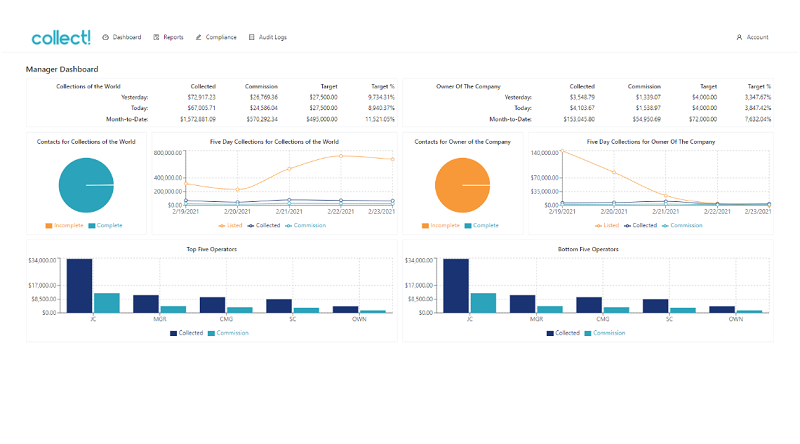
Report Generator 2.0 offers additional functionality
See 2 demonstrations of the streamlined Report Generator, now offering 2 modes: basic or advanced, showing results immediately right on the same screen, and many other additional features. Thursday, June 3 11 am Pacific / 2 pm Eastern – Report Generator Version 2 – Innovations Since the February Demonstration Friday, June 4 11 am Pacific / 2 pm Eastern – Building Letters and Emails in the Report Generator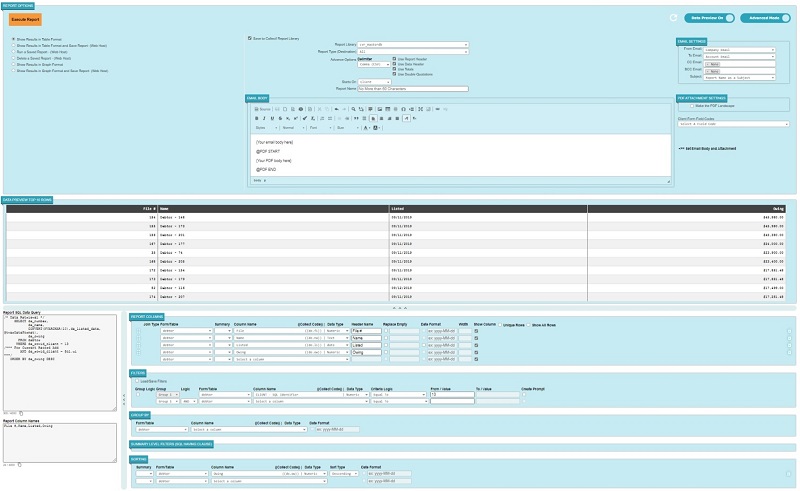
Partner News
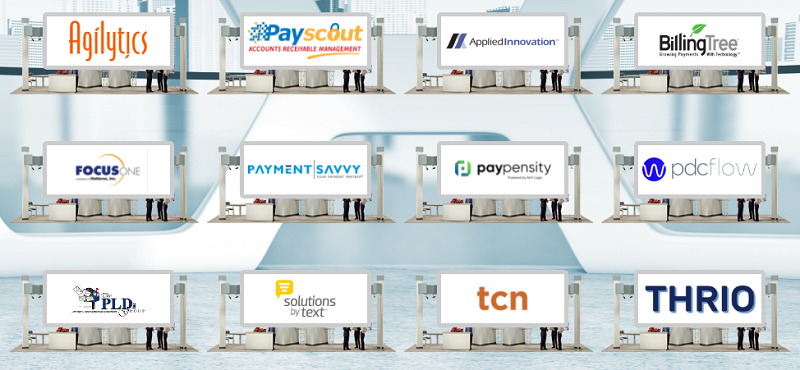
Partner presentations and showcase at the user conference
Use this opportunity to learn about and interact with key integration partners.User Tip
Windows has patch for Bitmap (BMP) file and printer spool issue
In the last issue we mentioned that some Collect! users found that some letter images were lost because the latest Windows update no longer supported Bitmap (BMP) files. Since then Microsoft has put out a patch to support Bitmap (BMP) files, but it must be applied manually. Call support for assistance with applying this patch. Server 2019 / Windows 10: https://www.catalog.update.microsoft.com/Search.aspx?q=KB5001649 Server 2012 / Windows 8: https://www.catalog.update.microsoft.com/Search.aspx?q=KB5001640Release News
12.11 Released
- First iteration of API functionality. Another service provider will be able to access a limited number of endpoints initially focused on payment processor debtor portal needs.
- Picklists stored in the database, instead of text files.
- Intelligent Mail Barcode
- Log Viewed Accounts as a Debtor Contact.
- Batch Letters Allow You to Select a Specific Letter.
- Print to PDF.
- Multiple Email Attachments from Report or Letter.
- Attach TEXT format like CSV to Report emails.
- Include TXT files within TXT files with the new @INC command.
- Perform loops with out needing RAM records with the new @WHILE command.
- Perform conditional logic using the new @IF, @ELSEIF, and @ELSE commands.
- Ability to split payments among invoices. Previously payments were applied to the oldest 196. Now payments can be divided among 196s at will with the Split Payments to Invoices utility in the Member Center. You will find it on the Utilities page under Scenario Packages.
- Intuitive field names for access rights. The previous numeric format 000000:ID required memorization or maintaining a list. The new record:field text format is easy to understand.
- If you are on Collect!’s cloud solution, congratulations, you are on the latest release.
- Updating and testing in your test environment before updating your production environment is always recommended.
- If you are using Web Host, and you are running 12.2 or earlier, you will need to update your Web Host to the latest version at the same time as you update Collect!.
- You can download the new update here. It takes only a few minutes to download and install.