
In this issue:
- New Member Center
- Updated default report set
- Updated training video set
- Reaction to Report Generator
- Response to new CFPB rules
- Virtual user conference registration link
- Focus on Payment Types
- User tip – BMP letter images
- Release news – 12.11 coming soon
New Member Center
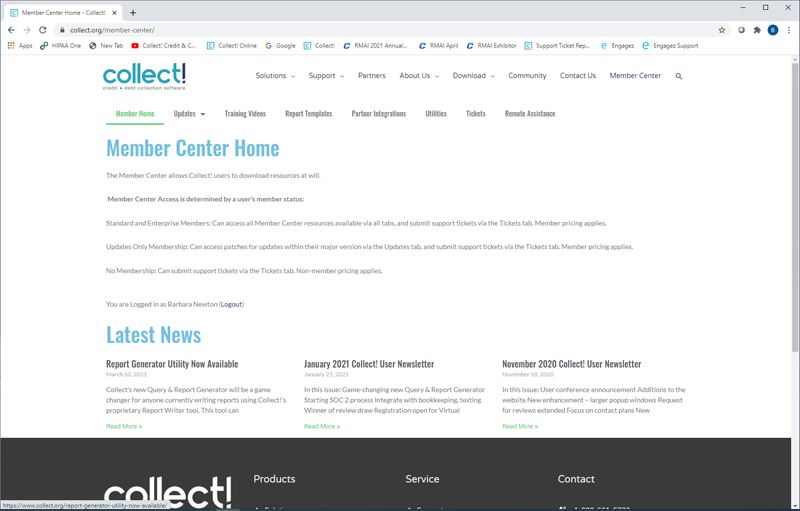
Familiar Layout, Easier to Navigate
The new Member Center is now available for you to access additional Collect! resources: Updates, Training Videos, Report Templates, Partner Integration Tools, Utilities, Ticket System, Remote Assistance and the 3 latest news items. As before, your level of access depends on your membership status; Standard Members have access to all resources.
https://staging.collect.org/member-center/
Updated Default Report Set
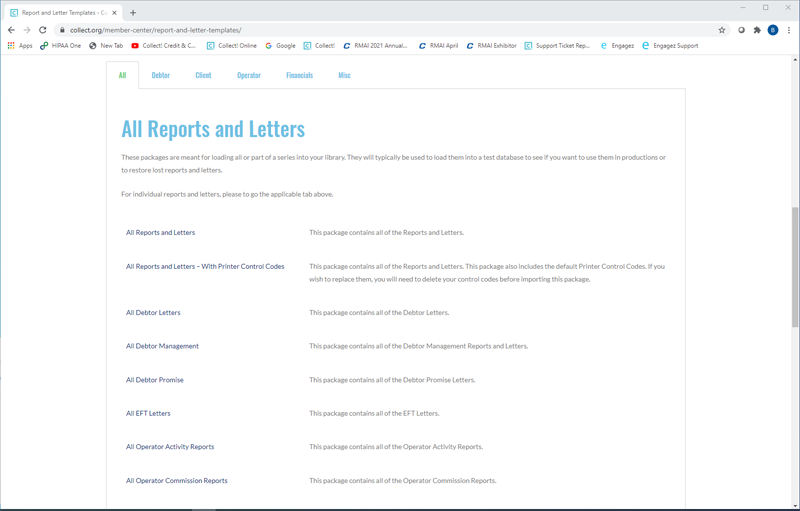
SQL Queries, New Report Style
The new Member Center contains a completely updated set of over 130 reports that you can use ‘as is’, brand for your company, or modify for your own needs. This set makes use of SQL queries for rapid data assembly, and features the new Collect! report style. Each report indicates the earliest release required to run the report, since some reports require features added in certain releases. We will continue to add to this report set.
This report set is freely available for Collect! Members to download into their system to replace the legacy default report set their Collect! application shipped with. Since all installations come with the report set current at the time of purchase, this report set will be more up to date than what is currently in your system.
Using reports as templates provides a valuable shortcut to the production of your own custom reports. You can customize reports yourself, or have one of our report specialists modify a report for you.
For original report production, see the item on the Report Generator below.
HTML versions of many reports that can be sent to clients as PDF attachments are coming soon.
https://staging.collect.org/member-center/report-and-letter-templates/
Updated Training Video Set
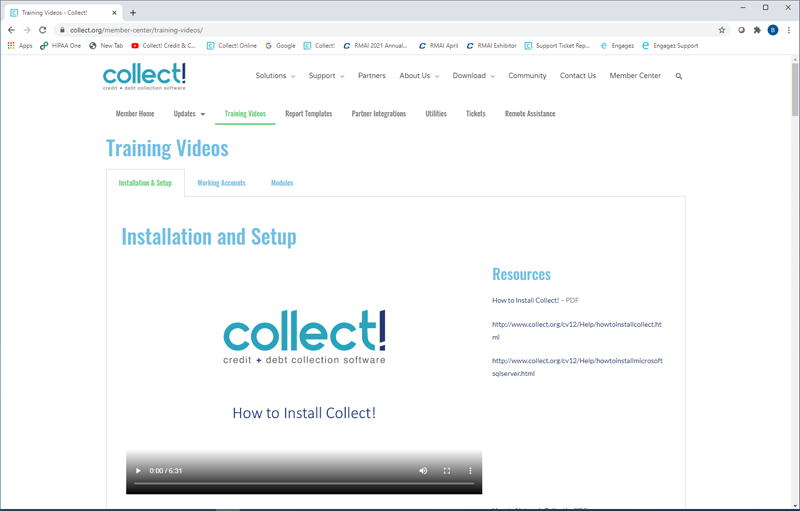
Video, Slide Deck & Help Links
The new Member Center also contains a completely updated initial set of about 20 training videos with many more to come. These short videos provide a series of screen shots with accompanying text and voice. The slide deck for each video and links to relevant Help documents are also provided.
https://staging.collect.org/member-center/training-videos/
Reaction to New Report Generator
Build Custom Reports Without Coding
“The new Query and Report Generator is a quick and convenient way to create reports without coding. This new tool lets us create new reports in just a few minutes time and is a lot less work than building SQL queries and using the Report Writer. Zherou took the time to install the tool on our webhost and showed us how it works.”
Karin Day, Paid in Full
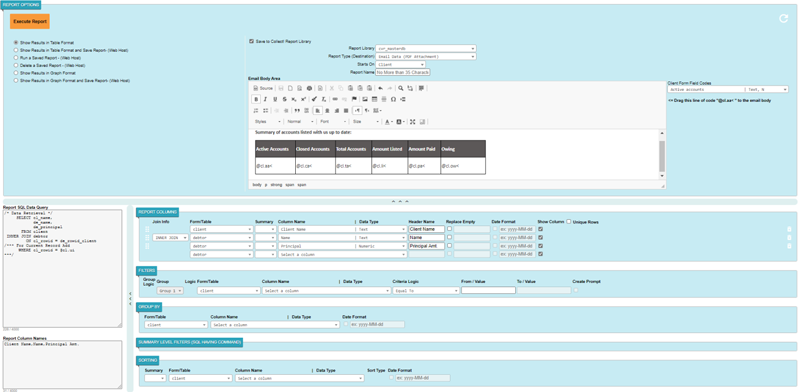
The new Report Generator lets you generate SQL queries using a user-friendly layout, output the data in a range of table or graph formats, and save reports in your report library for future use. Numerous Collect! users are already benefiting from this new utility
We thank everyone who joined the demo on February 11 and then provided valuable feedback. We expect to demo Version 2 at the virtual user conference June 3-4.
The Report Generator is included in the latest version of Web Host, Collect!’s remote access utility. If you do not have Web Host installed yet, or have not customized your Web Host instance, just download the latest Web Host Version 11.3.3 from the Member Center.
However, if you have customized your Web Host instance, open a support ticket to arrange for the installation of the Report Generator on your Web Host and a quick run-through.
There is no charge for the use of the Report Generator Utility. Downloading the Report Generator onto your customized webhost will involve a bit of billable time.
Security & Compliance News
New CFPB Rules
From now until the CFPB final rule takes effect November 30, 2021 expect updates and information pieces on how Collect! functions enable compliance with the rules.
The CFPB rules only apply to third party consumer collections.
SOC 2 Attestation
Work continues towards a SOC 2 Type I attestation, to be followed by a SOC 2 Type II attestation.
Virtual User Conference News
Conference Platform Registration Link Available
Our Engagez conference platform is now ready for registrations. Enter your name, email, company name, and client #. All you will need to log into the actual conference event is your email; we are not setting up a password or confirmation requirement to keep things as simple as possible. If you have already registered, we will import your registration information to Engagez; no need to re-register.
Learn about Collect! and the industry from the comfort of your desk.
Members: Free with unlimited signups
Non-Members: $99 with unlimited signups
Expect the program in the May newsletter.
Click here to register.
For reference, your client number is: @de.fi<
Focus on Payment Types
Make use of automations available in Posting Payment Options
Automation – setting your system to make routine workflow decisions and take routine actions – is key to efficient use of operator time. Collect! contains 3 key automation tools: Contact Plans, Payment Type Settings, and Work in Progress (WIP) lists.
In the last newsletter we reviewed how Work in Progress (WIP) List creates individual work queues for operators that link them to all other screens and functions they need to move quickly through their tasks. This is a quick review of how Payment Types can further your automation goals.
Every payment is posted as a particular Payment Type. The selection of Payment Type then triggers the actions that have been set for that Payment Type. For example, you can use Payment Type settings to trigger what happens when a payment brings an account balance under $5 or when you receive a promise underpayment. Program routine actions once, and save your operators having to make decisions or take repeated actions.
Collect! comes with a default set of Payment Types that trigger industry standard actions. Once you have gained familiarity with Contact Plans and the Payment Type settings you can customize the system to use your workflow. Experimenting in your demo version is always recommended.
Take some time to review the Contact Plans in your system because setting Payment Postings involves selecting the Contact Plans you want triggered when the conditions you set are met. Use the Payment Posting Options form to set actions you want the system to perform when a payment is posted to an account.

Here is the most useful Payment Posting Help doc link:
https://staging.collect.org/cv12/Help/paymentpostingoptions.html
View the training videos for the 3 main automation functions in this order: How to Set Up Contact Plans, How to Set up WIP Lists, How to Set Up Payment Posting Options.
https://staging.collect.org/member-center/training-videos/
User Tip

Windows no longer supports Bitmap (BMP) files
The next time you update Windows you may find that your letter images have been lost. If that happens, it is probably because the latest Windows update no longer supports Bitmap (BMP) files which have been used by many Collect! users to add images, such as logos, to their Collect! letters. In this case, the BMP files just need to be switched out with PNG files.
We do not know if this is permanent or temporary. We are monitoring Microsoft’s support tickets for information as it comes available.
The fix is fairly straight-forward:
- In Collect!, go to the Top Menu -> Print -> Customize Printing -> Edit Report Templates
- Open the affected Report or Letter
- Look or any @IMG or @INCLUDE commands and take note of the file names
- Navigate to your Styles folder (EX: C:\Collect\bin\styles or \\server\Collect\bin\styles)
- If you noted the file names for an @INCLUDE, then open the TXT files and look for any @IMG commands and take note of the file names
- Open the BMP images with Microsoft Paint, go to File -> Save as -> PNG
- Save the file in the same location (Styles folder)
- Once done, go back to the Reports/Letters or INCLUDE TXT files and replace the BMP with PNG
Release News
First Iteration of API Functionality
The next Collect! Version 12.11 minor release will include Collect!’s first iteration of a REST API for real time access to data within Collect!. This first iteration will allow another service provider, for example a payment processor, to access a limited number of endpoints in Collect! The first focus of this API development was to enable the use of debtor portals.
Expect continual expansion of API functionality from now on. API technology is at the core of Collect!’s next major version.
12.11 Expected Release in the Coming Weeks
- First iteration of API functionality. Another service provider will be able to access a limited number of endpoints initially focused on payment processor debtor portal needs.
- Picklists stored in the database, instead of text files.
- Intelligent Mail Barcode
- Log Viewed Accounts as a Debtor Contact.
- Batch Letters Allow You to Select a Specific Letter.
- Print to PDF.
- Multiple Email Attachments from Report or Letter.
- Attach TEXT format like CSV to Report emails.
- Include TXT files within TXT files with the new @INC command.
- Perform loops with out needing RAM records with the new @WHILE command.
- Perform conditional logic using the new @IF, @ELSEIF, and @ELSE commands.
- Ability to split payments among invoices. Previously payments were applied to the oldest 196. Now payments can be divided among 196s at will with the Split Payments to Invoices utility in the Member Center. You will find it on the Utilities page under Scenario Packages.
- Intuitive field names for access rights. The previous numeric format 000000:ID required memorization or maintaining a list. The new record:field text format is easy to understand.
For more information, please visit the New Features Page here.
If you are interested in upgrading, please email support@staging.collect.org.
Note:
- If you are on Collect!’s cloud solution, congratulations, you are on the latest release.
- Updating and testing in your test environment before updating your production environment is always recommended.
- If you are using Web Host, and you are running 12.2 or earlier, you will need to update your Web Host to the latest version at the same time as you update Collect!.
- You can download the new update here. It takes only a few minutes to download and install.