
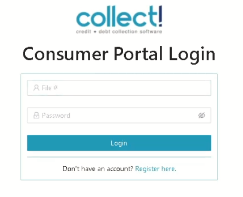
The Collect! Consumer Portal is now available for general release. Please note that we are receiving regular feedback, so please expect regular updates to the product.
Version 1 Features:
- Is hosted on your website
- Can be branded with your logo and colors
- URL is provided to consumers via link or QR code on letters
- Asks consumers to opt-in to your communication channels
- Allows consumers to see their current balance and past payments
- Allows consumers to make a single payment
- Links to your 3rd party payment processor’s generic payment screen
- Deducts single payments from balance owing to create new balance owing
- Does not yet connect with automations related to promises or payment plans
Version 1 Enhancements Coming Soon:
- Consumer can submit new Address, Phone, and Email for Collector approval
- Statement report
- Request a call-back from Collector
Note that the portal needs to link to a 3rd party payment processor to take online payments. Ideally your payment processor has a generic payment screen that allows the consumer to enter their own payment amount. If your processor cannot provide a generic payment screen you can make use of the Collect! e-Payment Screen (CEP) for this function. In this case CEP stands between the Collect! Consumer Portal and your payment processor and provides the screen where your consumer can enter their payment amount and payment information. CEP only supports select Payment Providers. Please contact us to see if your provider is one of them.
We thank BETA users for their assistance.
Plans for Version 2:
- Ability to make payment plans
- Provide a flexible payment negotiator
Pricing:
- Cloud Users: All modules (including the portal) are included in cloud subscriptions
- Premise Users: One time module purchase of $995
- Must be on the latest version of Collect!
- Must have an active Membership
How to obtain the Collect! Consumer Portal:
- Confirm your payment processor can provide a generic payment screen
- Open a support ticket requesting installation
- Include information on your payment processor and whether they have a generic payment screen or if you will need to use CEP
- Premise sites need to:
- Make sure your Office (or server where Collect! is hosted) has a static IP as it will need to serve either the web server or API server externally
- Make sure you have access to your firewall settings
- Check your server’s hardware to ensure that it can run Apache Web Server